Features

Everything the Lookout does.

What you can use today, and where Teamtrail is going next. Every screenshot is the real app, running a real trail.

Trails

Plan big work as a map, not a to-do list.

A trail leads to a destination. Tickets are the decisions and work along the way, with what blocks what.

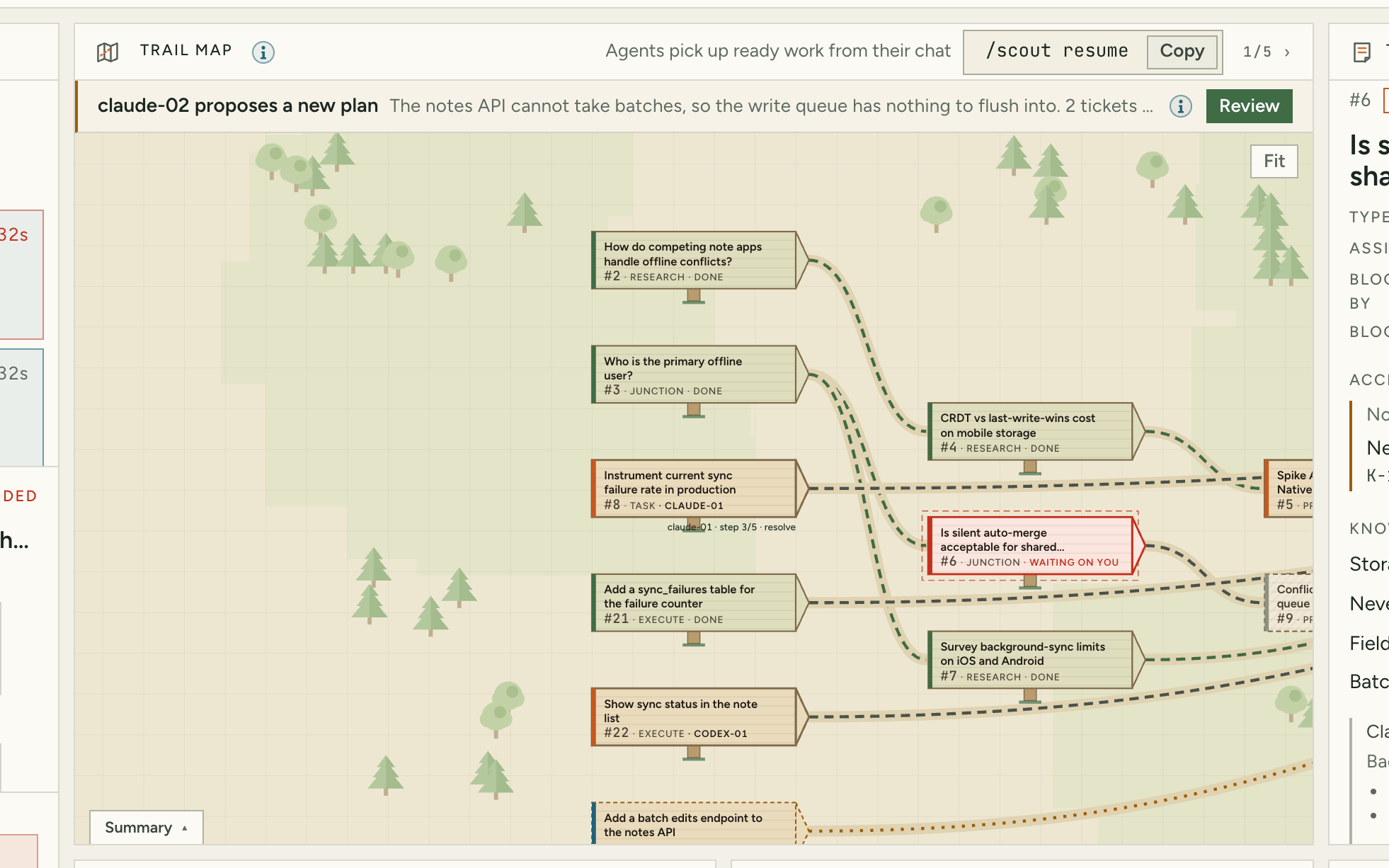
The trail map with tickets, their state and their dependencies.
01

A live trail map

See what's done, what's being worked, what's blocked and what's waiting on you, with the critical path and progress at a glance.

  • Research, junction, prototype, task and execute tickets
  • Unblocked work moves up on its own
  • Out-of-scope work is set aside, not lost
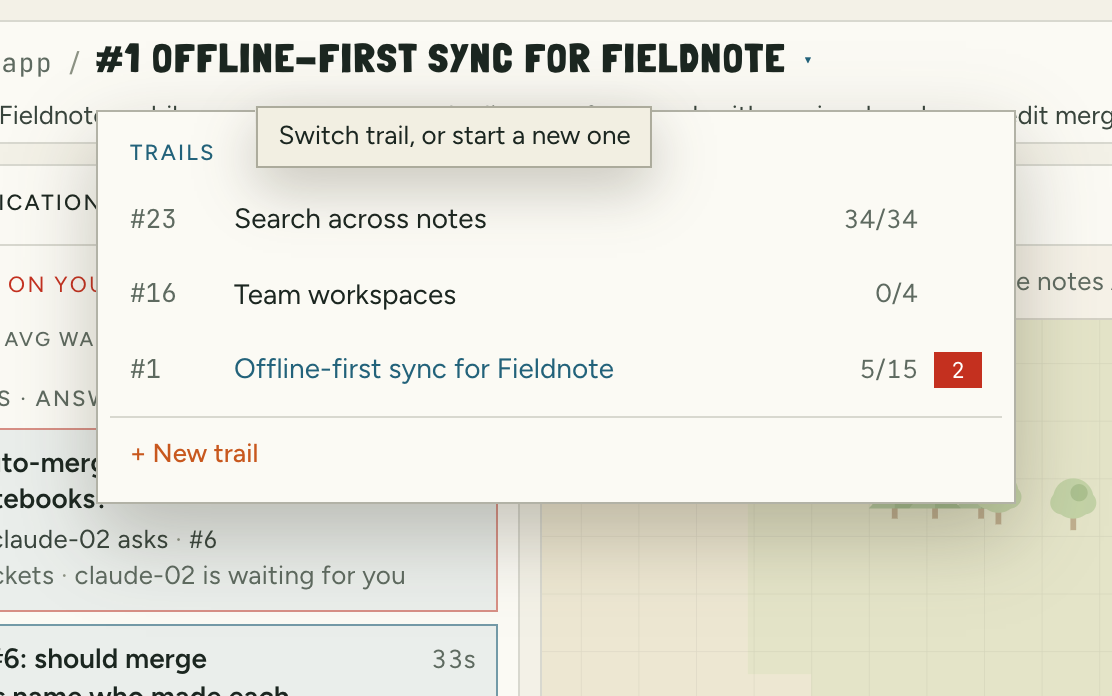
The trail switcher listing two trails with progress and open questions.
02

Several trails at once

Switch from the title. Open questions stay tagged with their trail, so the inbox never loses context.

  • Plan only, or plan and execute, per trail
  • Destination, notes, decisions so far and out of scope
Understanding

It learns the terrain before anyone sets off.

Your agents start from what you already have, and they remember what they learn.

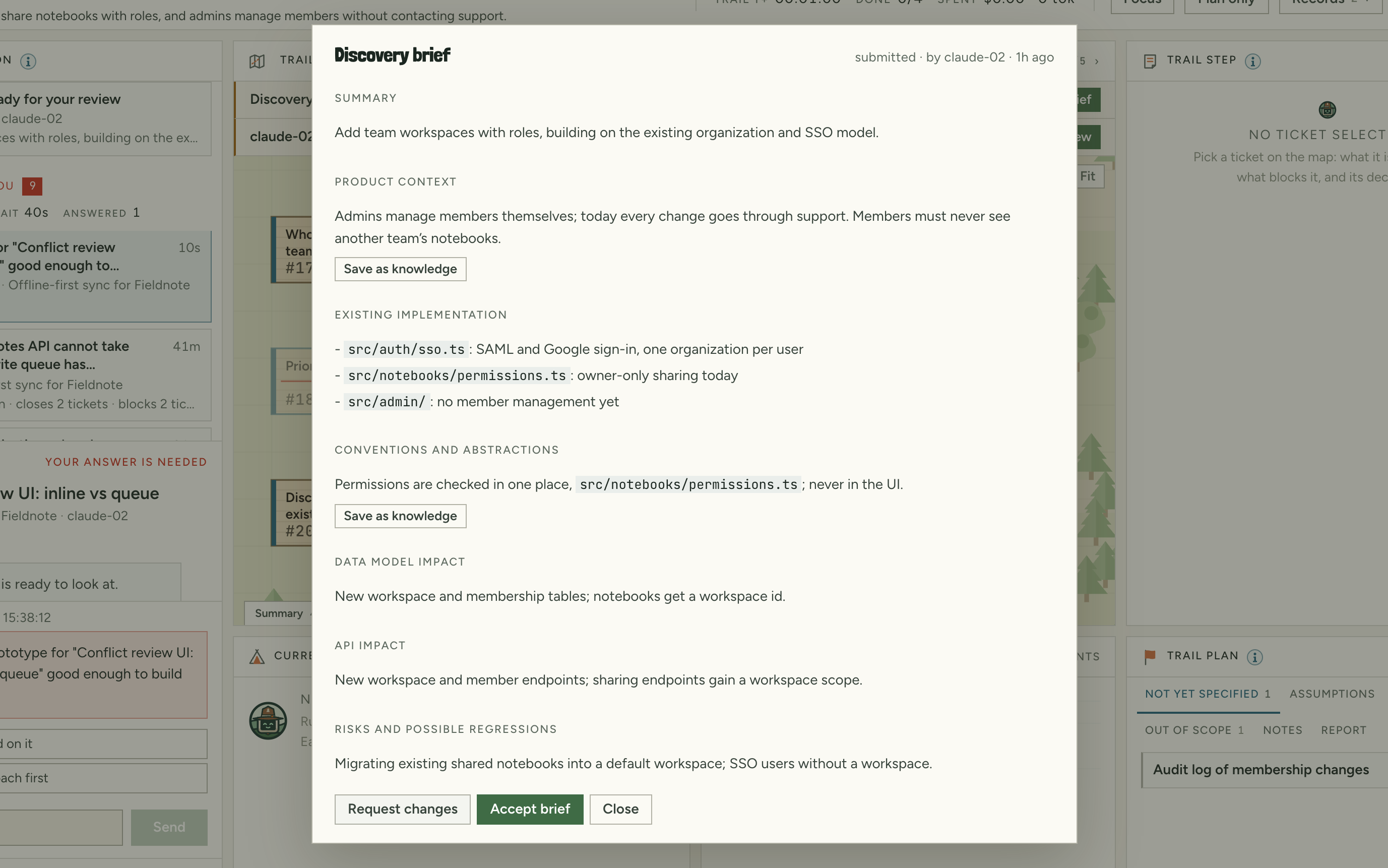
A discovery brief with what exists, the product rules that apply, risks and assumptions.
03

A brief before anything is built

An agent studies what exists and writes it up: the parts involved, the rules your product follows, what could break and what it's assuming. You approve it, or ask for changes.

  • Building waits for your approval
  • It asks about your product, not just your code
  • Start a trail here, no terminal needed
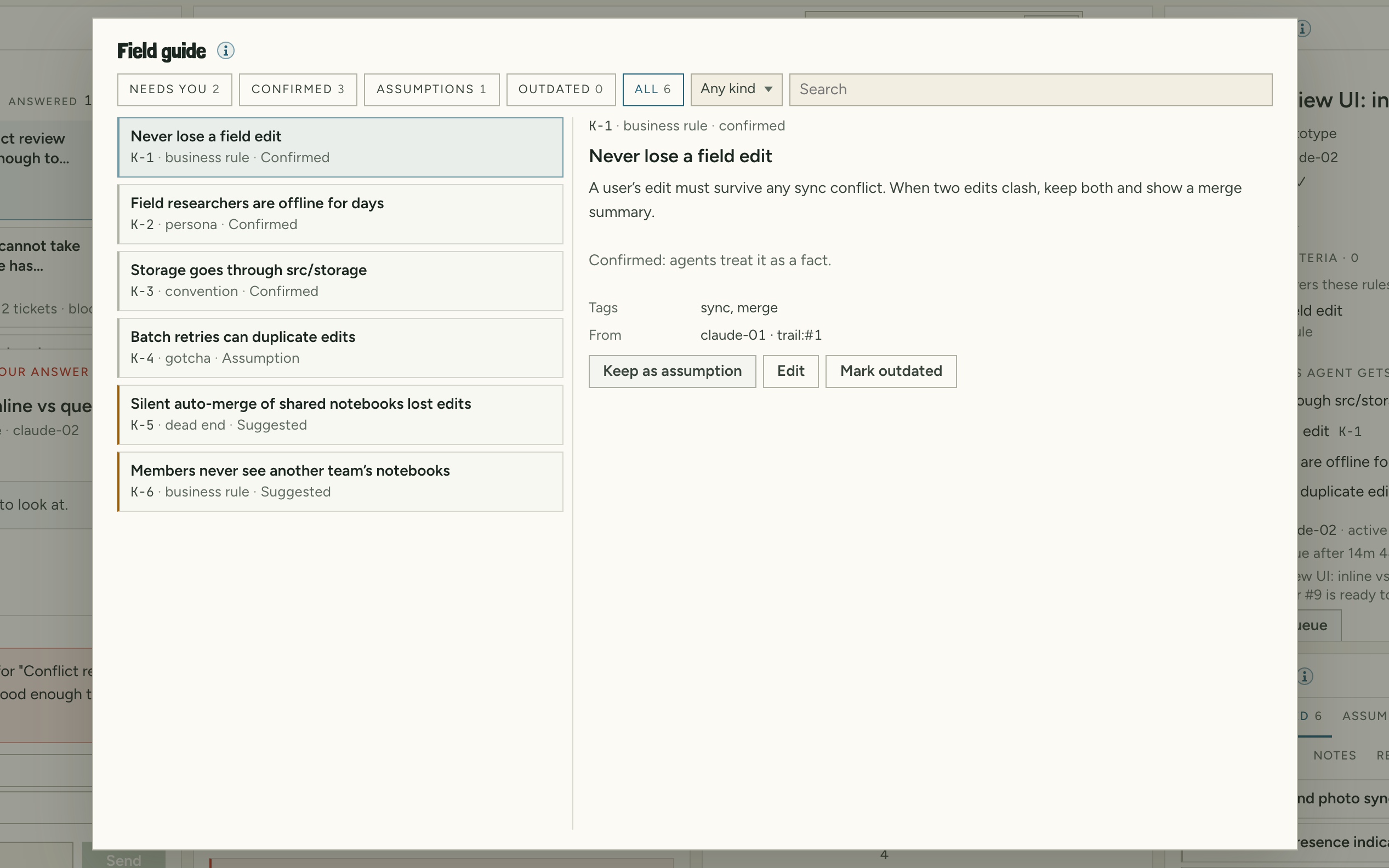
The Knowledge view: confirmed rules and facts, an assumption and suggestions waiting for review.
04

A field guide that remembers

Rules, habits, pitfalls and dead ends go in your project's field guide. Each agent gets what matters for its task, with the reason why.

  • Agents suggest, you confirm
  • Flagged for a second look when the code changes
  • Save any decision to the field guide in one click
Waiting on you

Only the turns that need you, in the right order.

Agents ask, you decide, and the decision is written down. You choose which calls are always yours, and only urgent ones interrupt you.

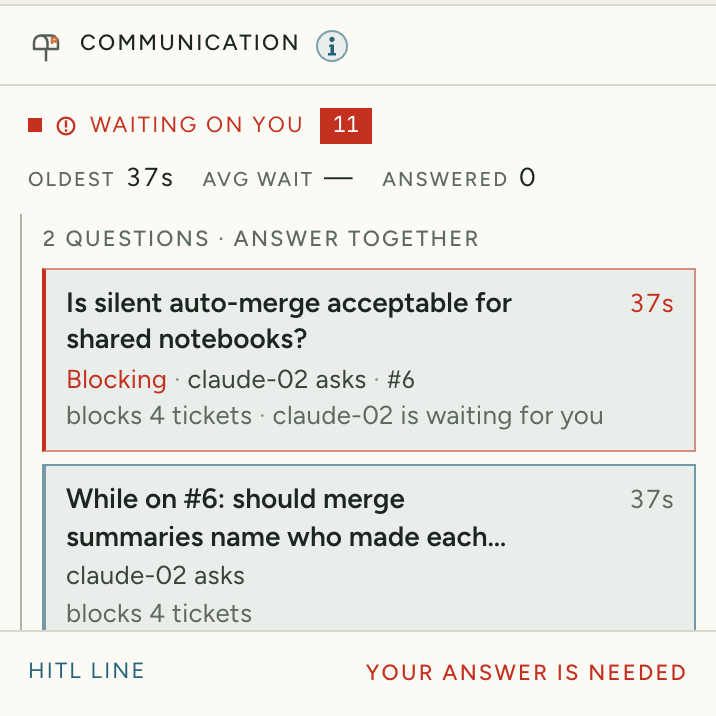
The Waiting on you list: a new plan to review, a brief, a risky change to check and two questions, each with the reason it matters.
05

One list, most important first

Questions, approvals, stuck work, failing builds and new plans in one list, ranked by what they hold up and how long agents have waited.

  • A reason on every item: “blocks 4 tickets”
  • Related questions grouped to answer together
  • Only urgent ones interrupt; focus mode and “later” for the rest
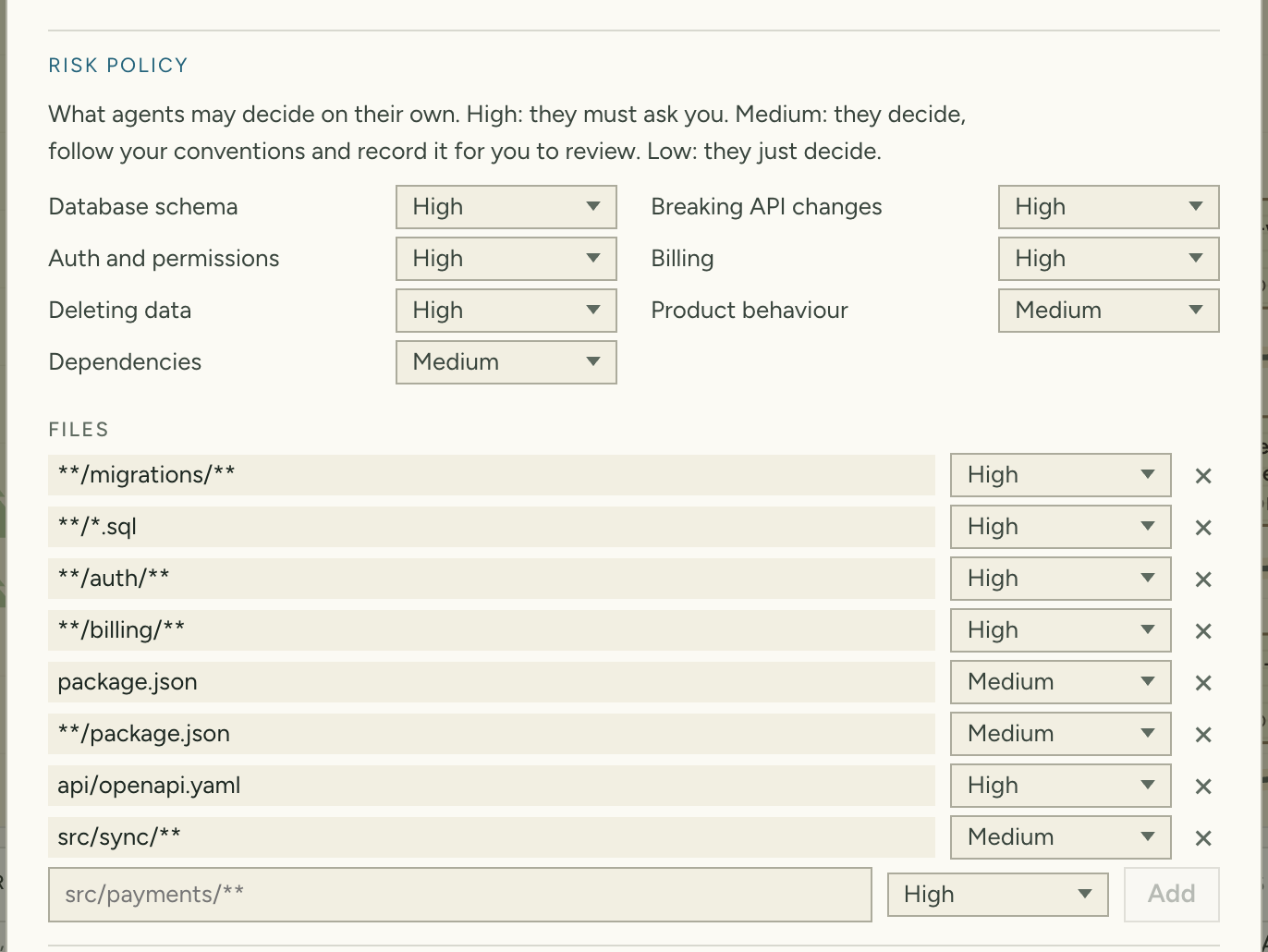
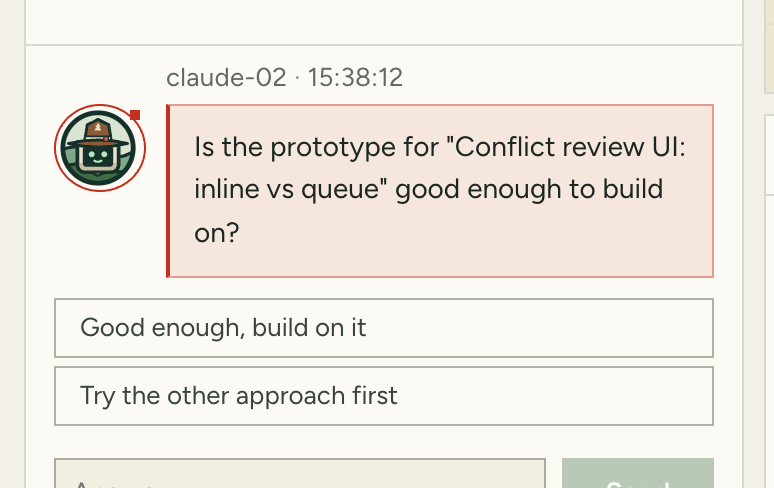
The risk policy in Settings: a level for each kind of change, and files that always need you.
06

You decide what's always yours

Database changes, logins, billing, deleting data, new dependencies: set what always needs you. Agents can't make those calls on their own; they ask.

  • Small calls are made for you and labelled by risk
  • Risky changes made without asking come to you to check
An agent's draft resolution with suggested replies.
07

Answer in a click

Every question from every agent, oldest first, with suggested answers and the conversation right below.

  • Reply from the Lookout or with /scout inbox
  • A summary or the full transcript goes on the ticket
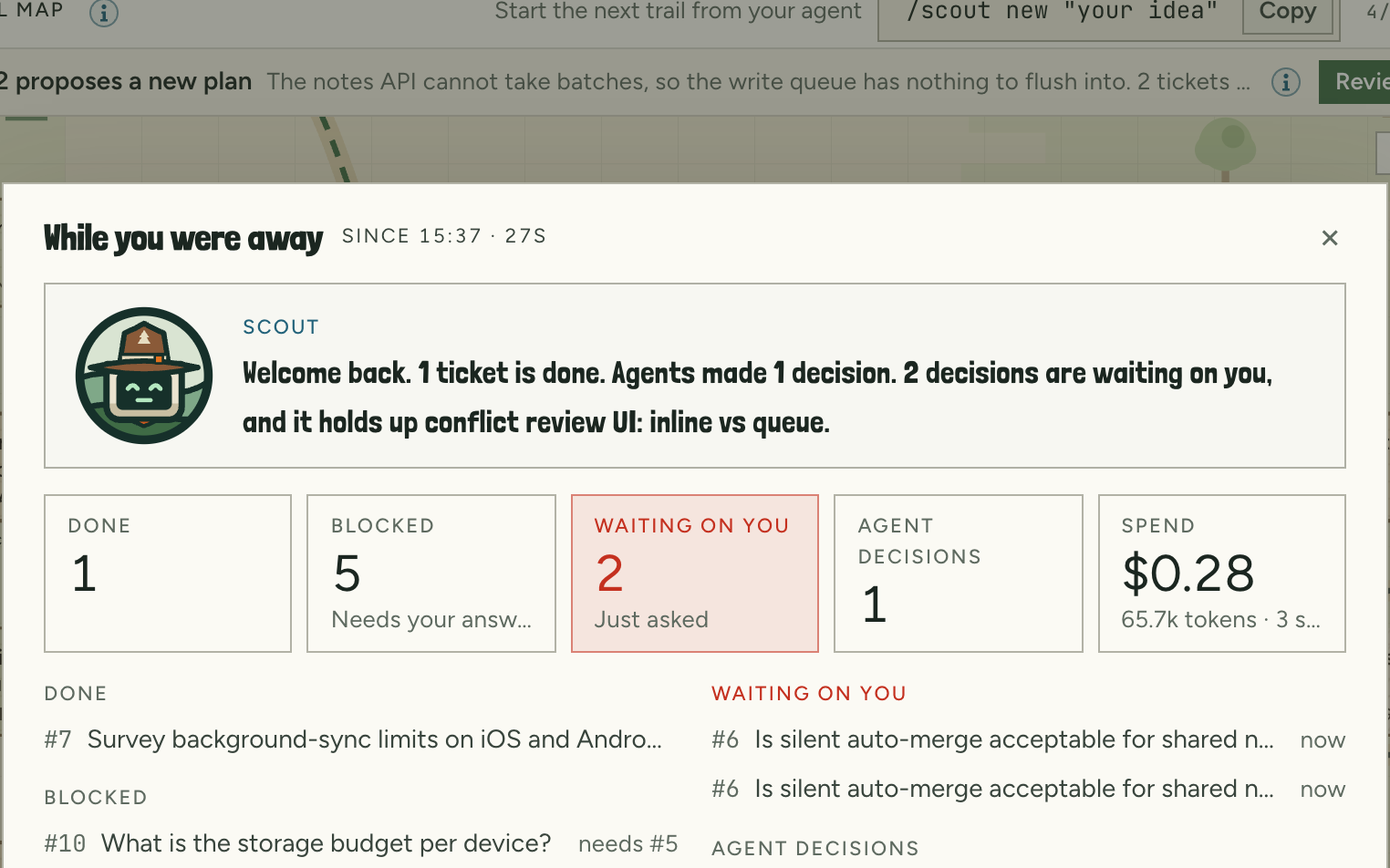
The While you were away briefing with tickets done, blocked, waiting on you, agent decisions and spend.
08

While you were away

Come back after a break and Scout tells you what changed: work done, work now blocked, what agents decided and what it cost.

  • One click to the first answer you owe
Adaptive trails

Reroute when the ground changes.

Every trail writes down what it assumes. When something turns out wrong, an agent proposes a reroute instead of pushing on. Nothing changes until you approve it.

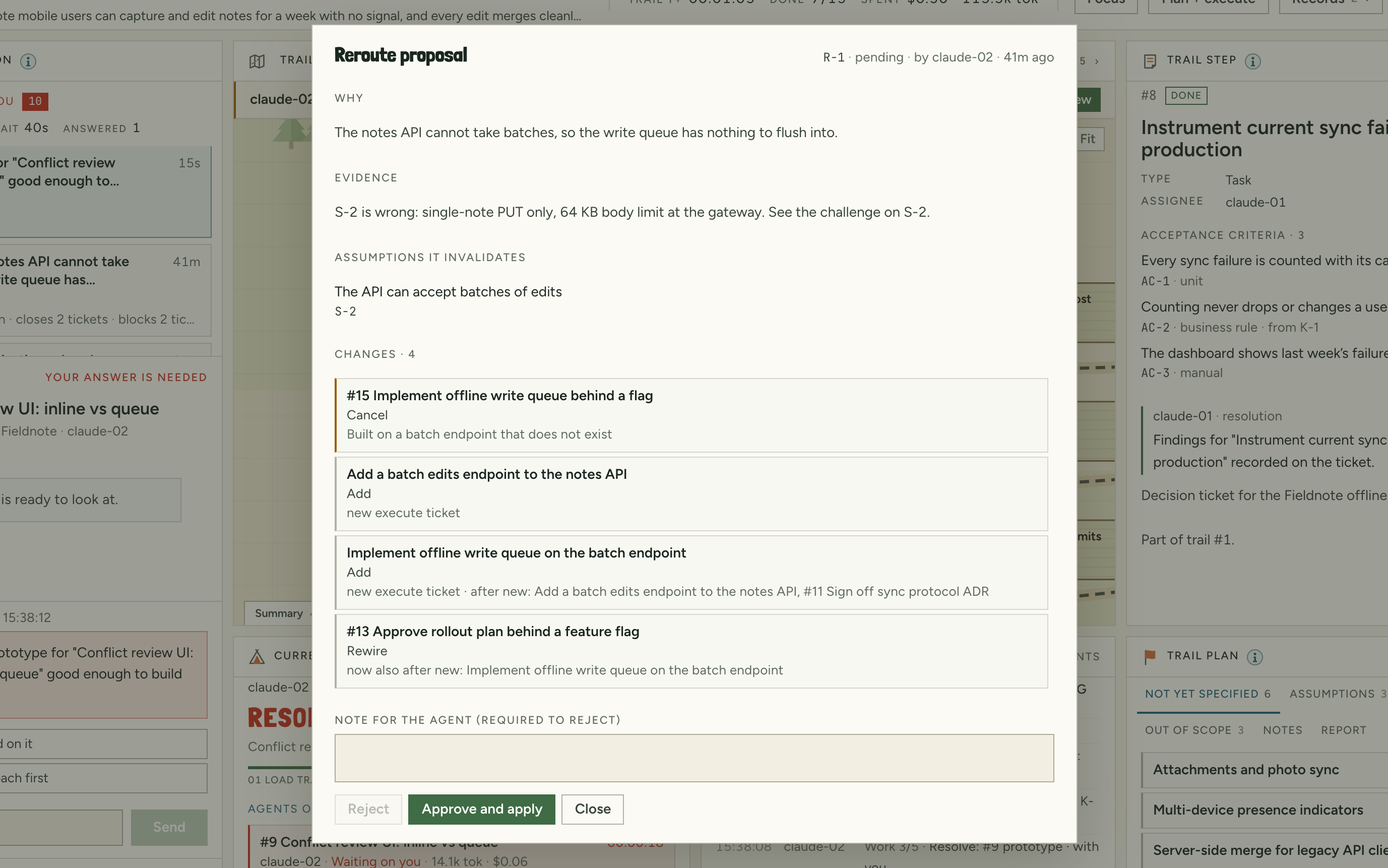
A proposed new plan: why, the evidence, the assumption that broke, and each change, with Approve and Reject.
09

Reroutes you approve

The agent explains what it found, which assumption broke and exactly what it wants to change. Approve it, or send it back with a note.

  • Affected work pauses while you decide
  • What turned out wrong is remembered, so no one tries it again
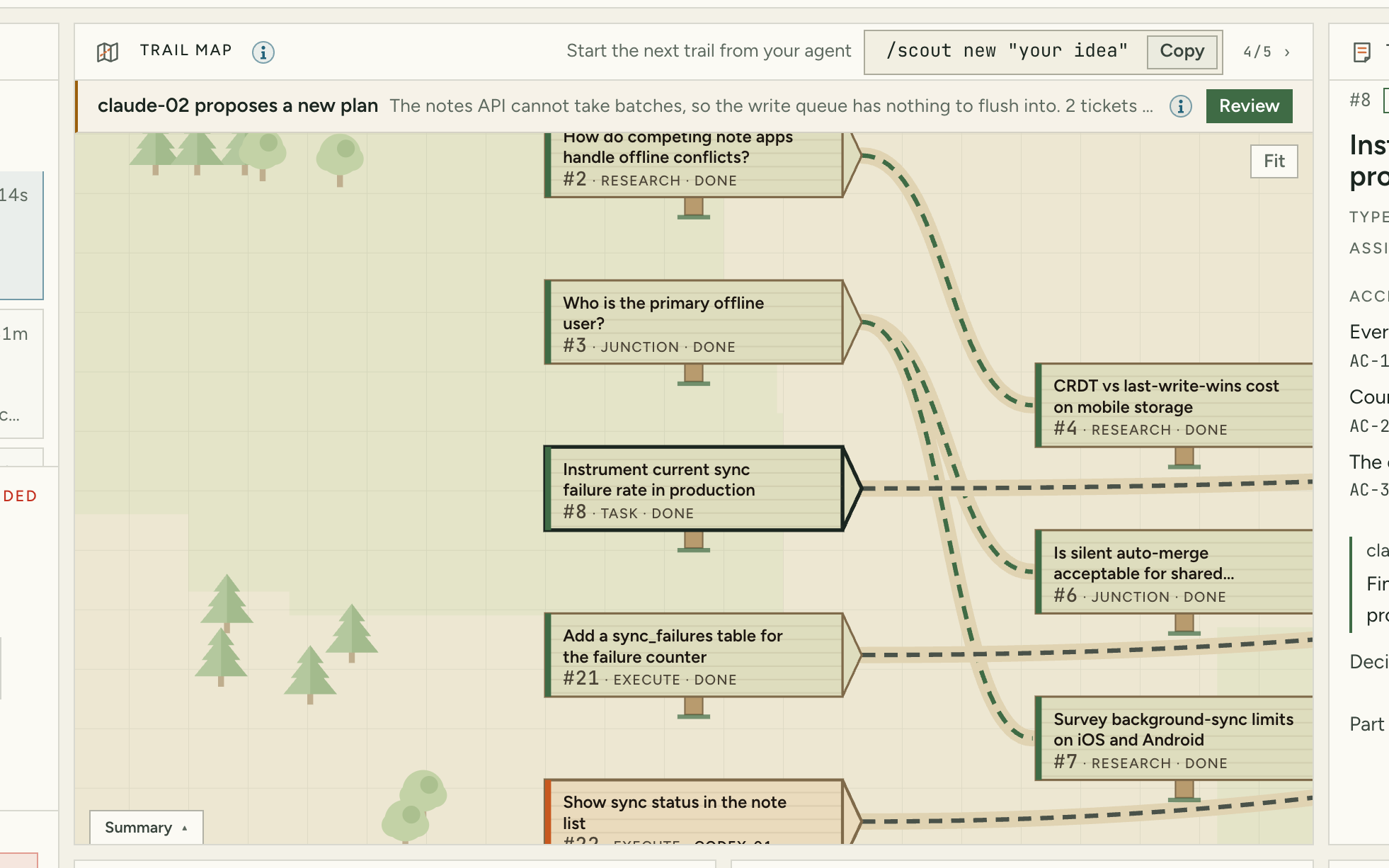
The trail map previewing a new plan: new tickets drawn as outlines, a cancelled one crossed out, paused ones marked.
10

See the change before it happens

New work, cancelled work and paused work are drawn right on the map, before anything moves.

  • Agents can also say “this already exists” or “wrong mountain”
  • They suggest a better goal, with the evidence
Parallel work

Many agents, nobody lost.

Run several agents at once. Each can work in its own copy of your project, and you hear about it before two of them change the same thing. Teamtrail never merges for you.

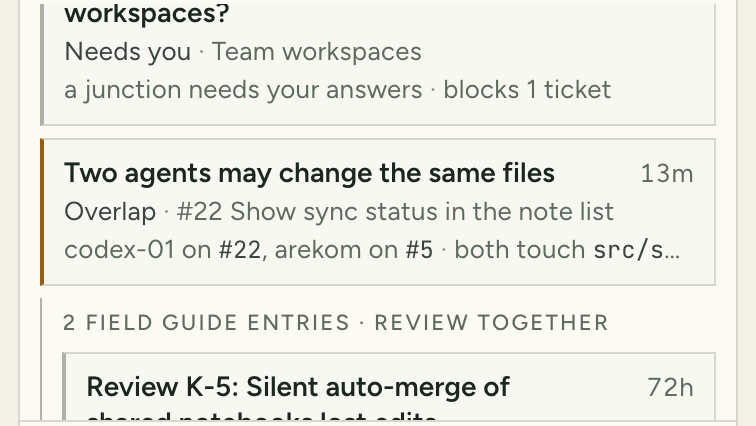
A warning in Waiting on you: two agents may change the same files, with the files named.
11

A warning before paths cross

Agents say which files they expect to change. If two overlap, you see it in your list right away, and you can put one back in line.

  • The files each agent expects to change, on its ticket
  • When two really changed the same files, a ticket to bring the work together, in one click
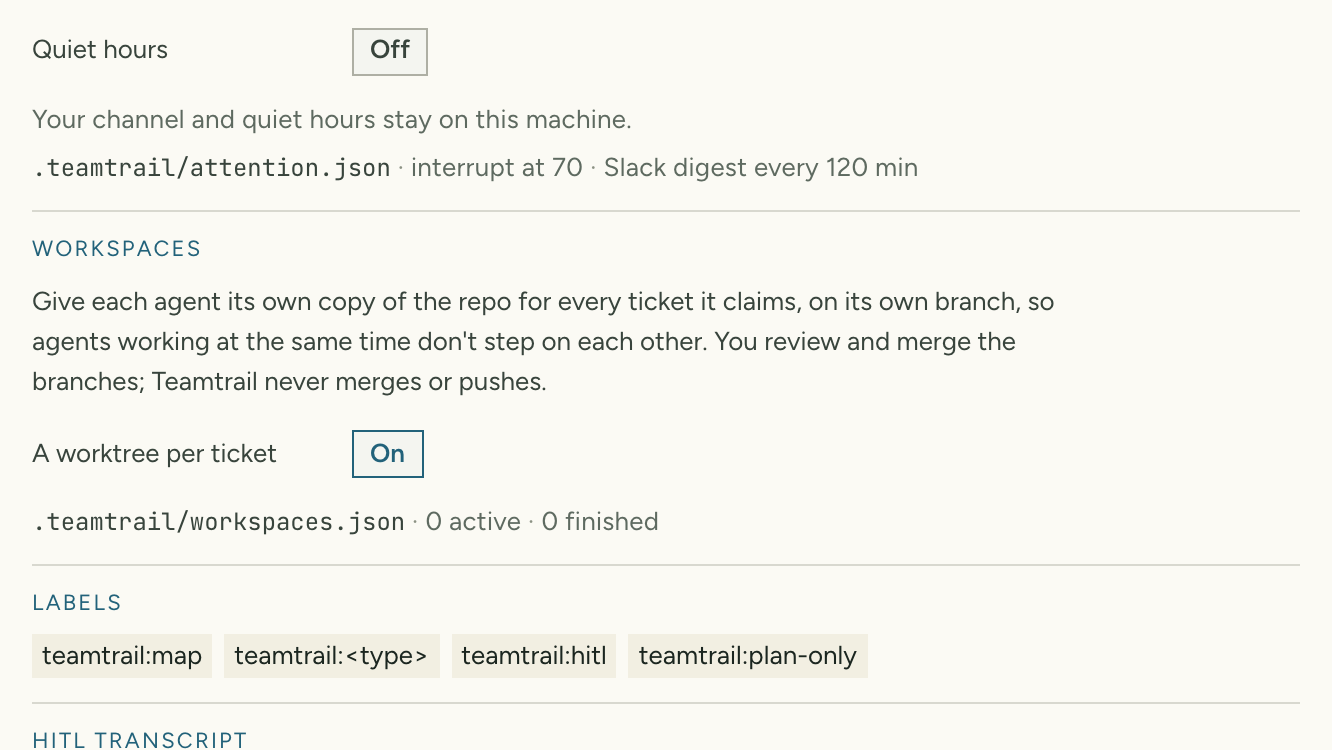
The Workspaces setting: a separate copy of the repo for every ticket an agent takes.
12

Its own copy for every task

Turn it on once, and every task gets a separate copy of your repo on its own branch. Agents never share a checkout, and you review each branch when the work is done.

  • Nothing is merged, pushed or deleted for you
Verification

“Done” is a claim. Scout checks it.

You agree on what done means before work starts, and nothing counts as done without proof. The checks come from your repo, so no agent can change what judges its own work.

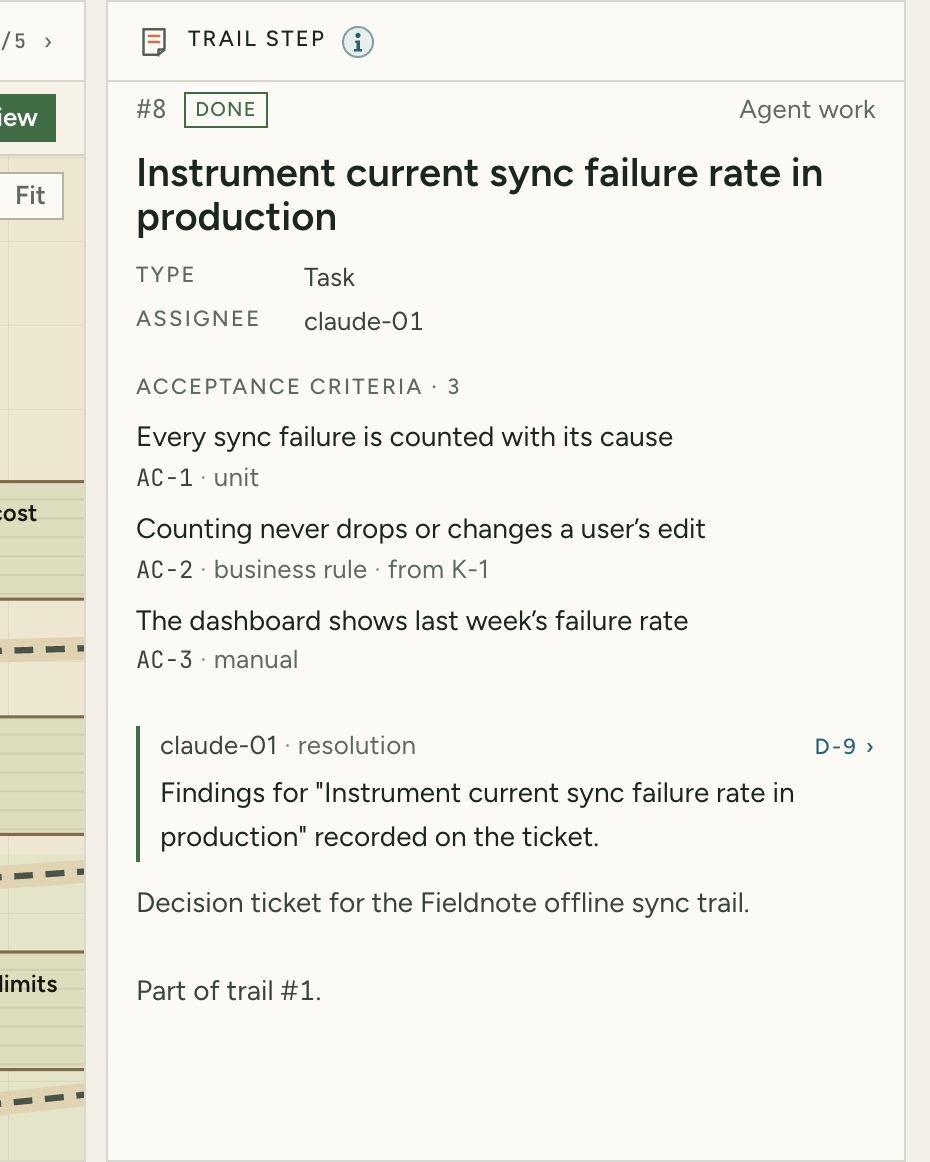
A ticket's acceptance criteria: a test, a business rule from your project and a point you sign off.
13

Agree on “done” before work starts

Before building, an agent writes down what has to be true for the work to count, including your product's rules. When it finishes, every point needs proof.

  • Proof from your tests, or your sign-off
  • Your product's rules suggested as points to prove
  • Anything without proof goes back, with the reason
Checks

Your tests run before work counts as done

The checks you already use, from your repo. A failure goes back to the agent with what went wrong.

Review

A different agent reviews the work

The agent that did the work never reviews it. When you run Claude and Codex, each reviews the other's work first.

Approval

You sign off when it matters

For the work you care most about, the ticket closes only after you approve it in the inbox.

Evidence

Proof from your code, not just words

What actually changed, the pull request and its build, with a flag when they don't match what the agent said.

On the record

Every decision and every result, in the logbook.

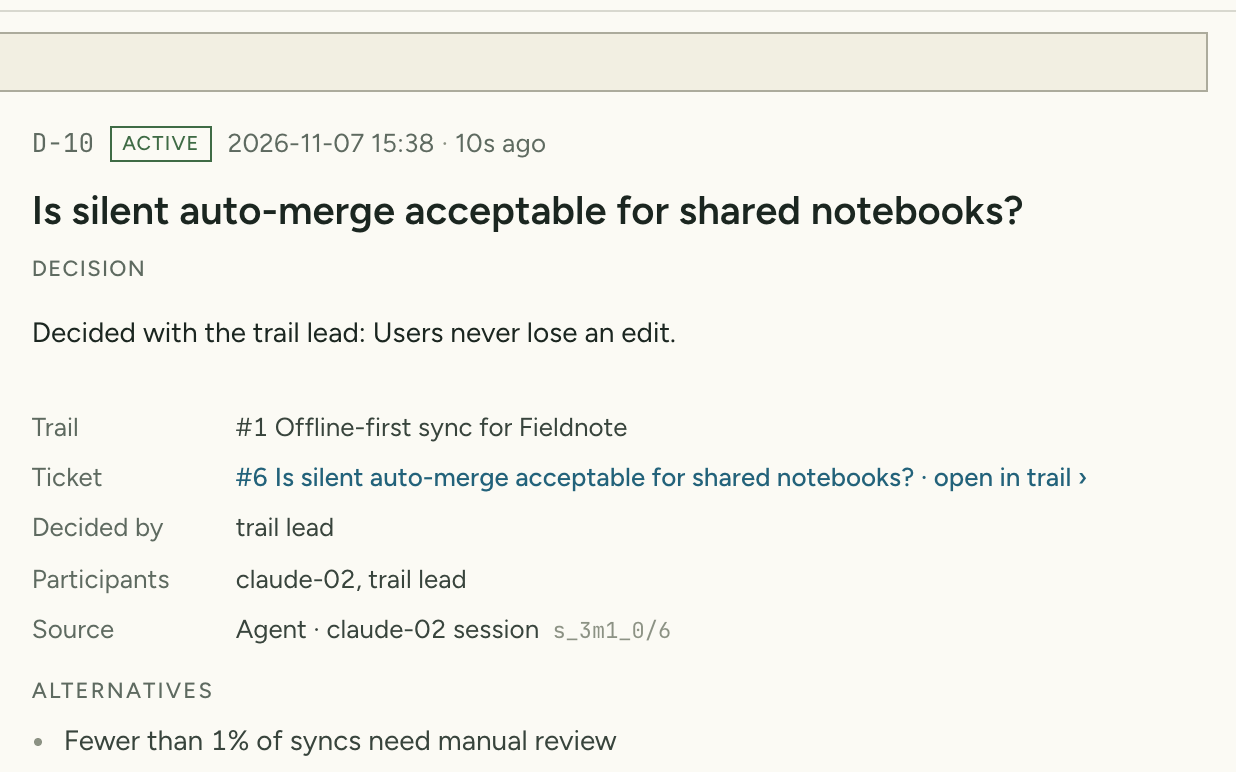
A decision record with alternatives, rationale and transcript.
14

The logbook

Every call across your trails: the question, the answer, the options considered, the reasoning, who decided and the full conversation.

  • Filter, search and supersede
  • Export to markdown to share with your team
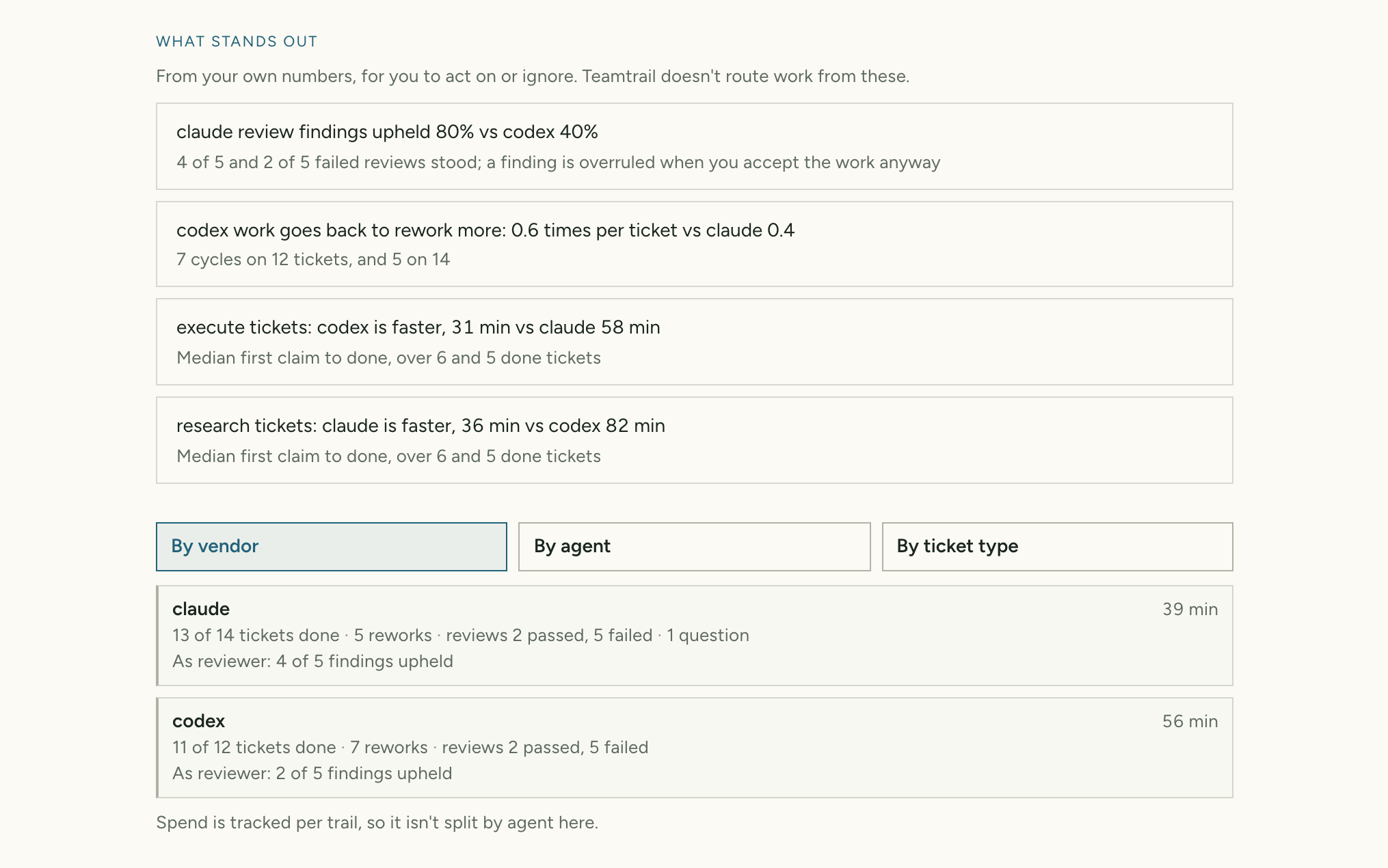
Trail stats on a sample project: notes on what stands out, and delivery by vendor.
15

Trail stats

How your agents deliver across every trail, by vendor, agent and kind of work, with plain notes on what stands out. Shown here on a sample project.

  • From your own numbers, on your machine
  • Information only: nothing is routed from it
Results

A trip report on every trail

How long each trail took, how often you stepped in and what was redone. Trail stats compares it across trails, by vendor, agent and kind of work.

Trackers

Local files, GitHub Issues or Linear

Trails sync both ways. Changes made offline wait and send in order when you're back.

Any screen

Answer from your phone

Small screens open on the inbox. Map, ticket, activity and plan are one tap away.

Coming next

Less herding, not less judgment.

Each of these keeps you in charge: Teamtrail proposes and ranks, and you decide.

01 · Every repoComing

One view across projects

An overview card per repo and one queue of what needs you across all of them, answerable from one place.

  • Aggregated on your machine, no server
  • Agents stay confined to their own repo
02 · Smarter model choiceComing

The right model for each job

Hard calls go to stronger models and routine work to cheaper ones, based on how each did on your past trails.

  • Builds on what Trail stats measures
  • You set the rules per trail
03 · CloudComing

Agents that keep working when you close the laptop

Your agents run in the cloud, and you steer them from the same Lookout, on any screen.

Try it on your next trail.

One command in your project folder, or pick Demo in setup to explore a ready-made trail first.

Start at the trailhead npx teamtrail